FUEL TRACKING
Every fill-up, every trend
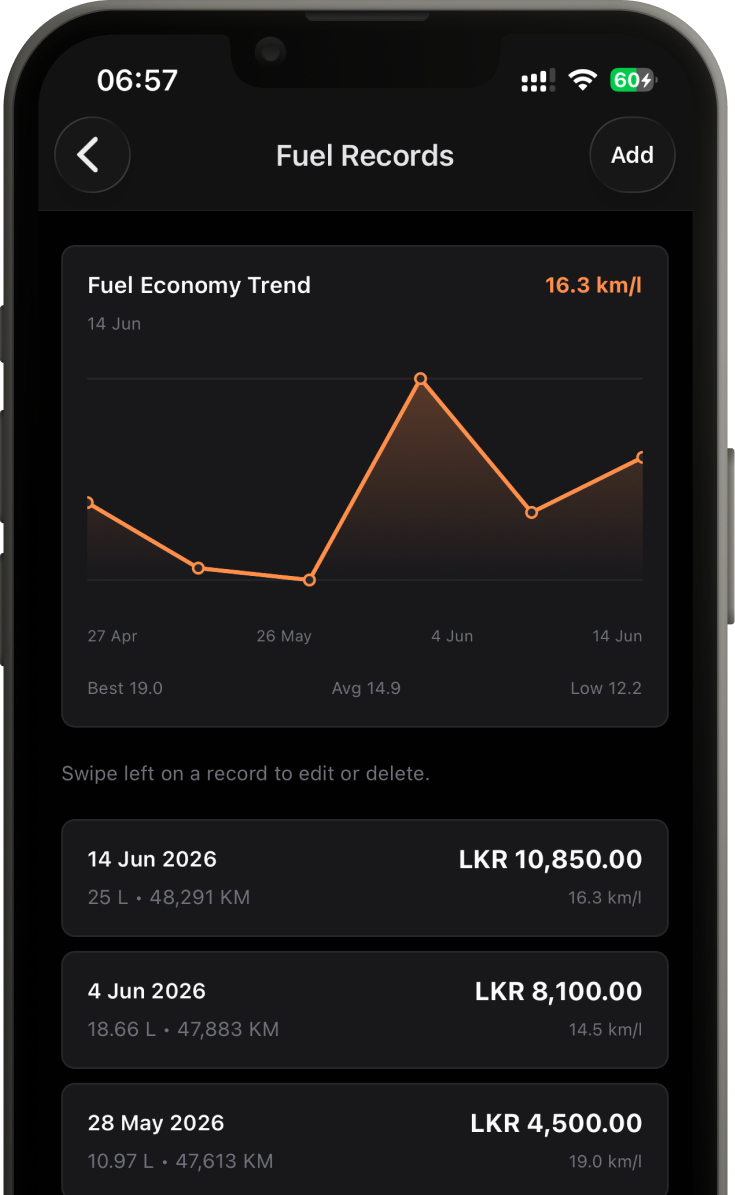
Log a fill-up in seconds. CRLO works out consumption, cost per kilometer, and efficiency over time so you see the number that actually matters.
See what was done, what is due, and who handled it. Share fuel, service, reminder, document, and photo records in one household garage.
FREE PLAN · 1 GARAGE · 100 MB STORAGE
Garages hold vehicles. Vehicles hold records. No projects, no dashboards to configure. Open it, log it, move on.
Log a fill-up in seconds. CRLO works out consumption, cost per kilometer, and efficiency over time so you see the number that actually matters.
Group household vehicles in a garage that keeps their records and the people responsible for them together.
Oil changes, tire rotations, brake jobs. Every job logged with date, cost, odometer, and notes you can actually find later.
Oil at 10,000 km. Insurance in March. Set it once by date or by mileage and CRLO surfaces it before it lapses.
Attach photos to a vehicle or a record. Document damage, file a receipt, or just keep a build log.
Invite family, co-drivers, or your mechanic to a garage. One record of truth, synced the moment anyone makes a change.
Every screen does one thing. Add a vehicle, start tracking. The whole app is built for a thirty-second log while you are still standing at the forecourt.
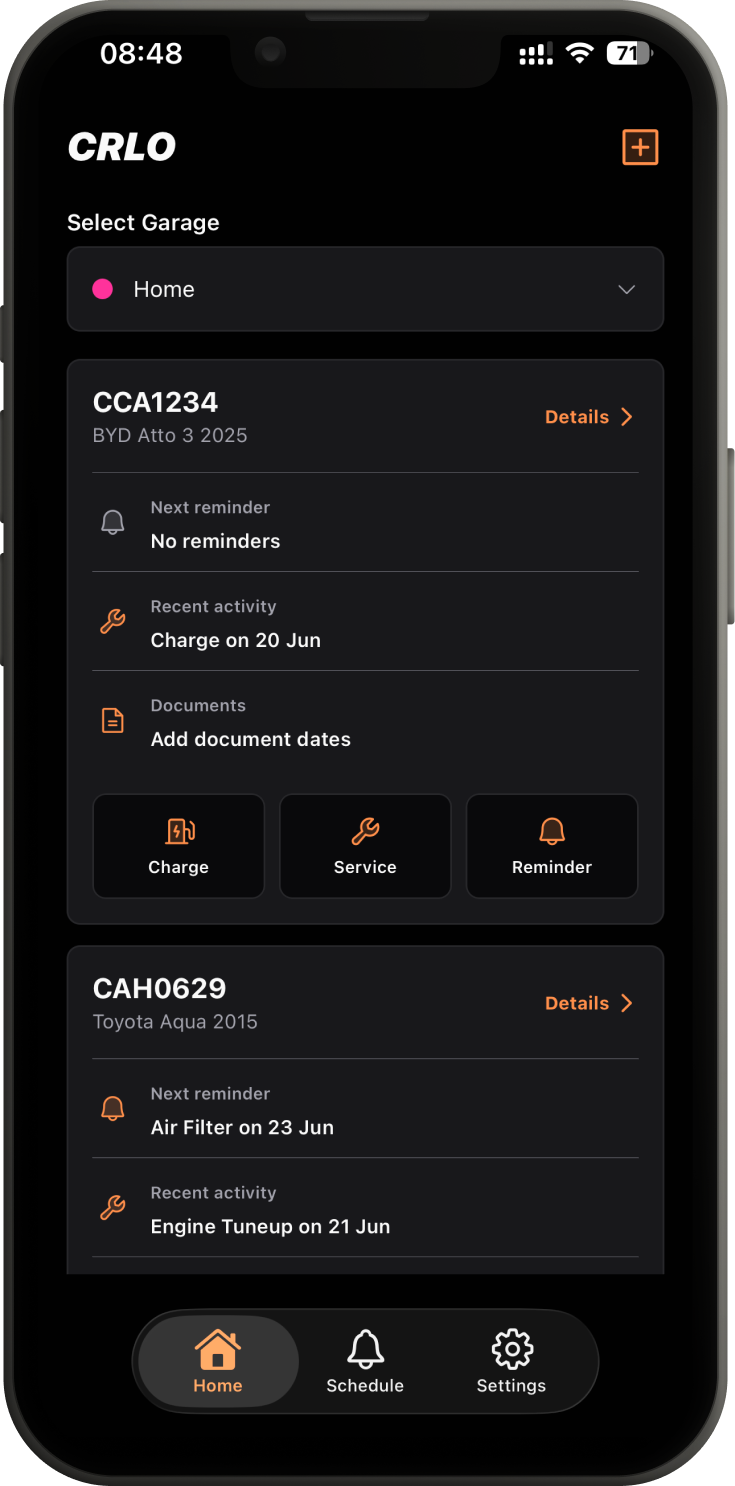
Name it Family Cars, Work Fleet, whatever fits. Garages are how everything stays grouped.
Make, model, year, odometer, a photo. Each vehicle gets its own running timeline.
Fuel, services, reminders, photos. Invite anyone who shares the keys to help keep it current.
Start with one garage, unlimited vehicles, and 100 MB of attachment storage. An account is required on iOS and Android.